
PARCEL LOCKER INSTRUCTIONS
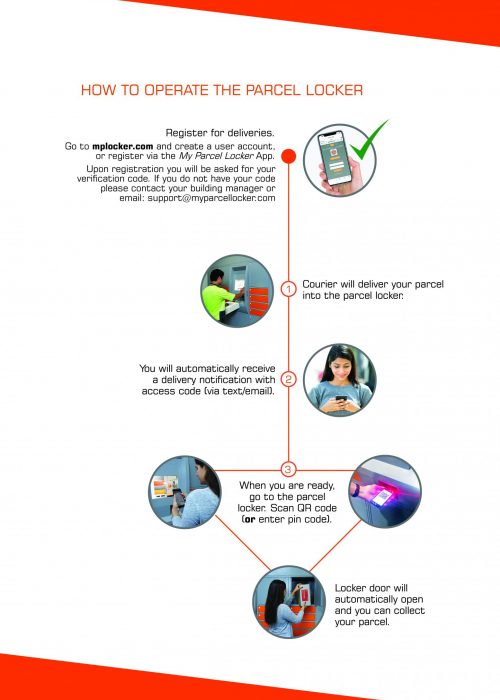
How to register for deliveries and collect your parcels.
Everything you need to know:
QLD (07) 3123 2862
NSW (02) 8073 4298
ACT (02) 8073 4298
VIC (03) 9034 5079
TAS (03) 9034 5079
WA (08) 6365 4675
SA (08) 6365 4675
NT (08) 6365 4675
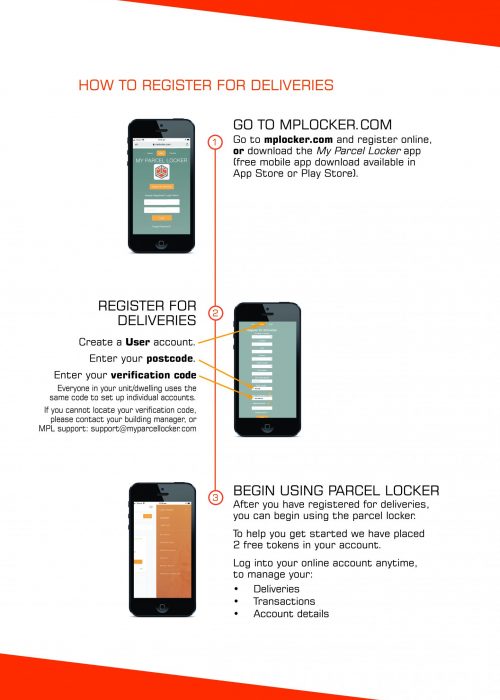
To use the parcel locker, you must REGISTER HERE (or visit: mplocker.com)
Easter Support Hours:
ANZAC Day
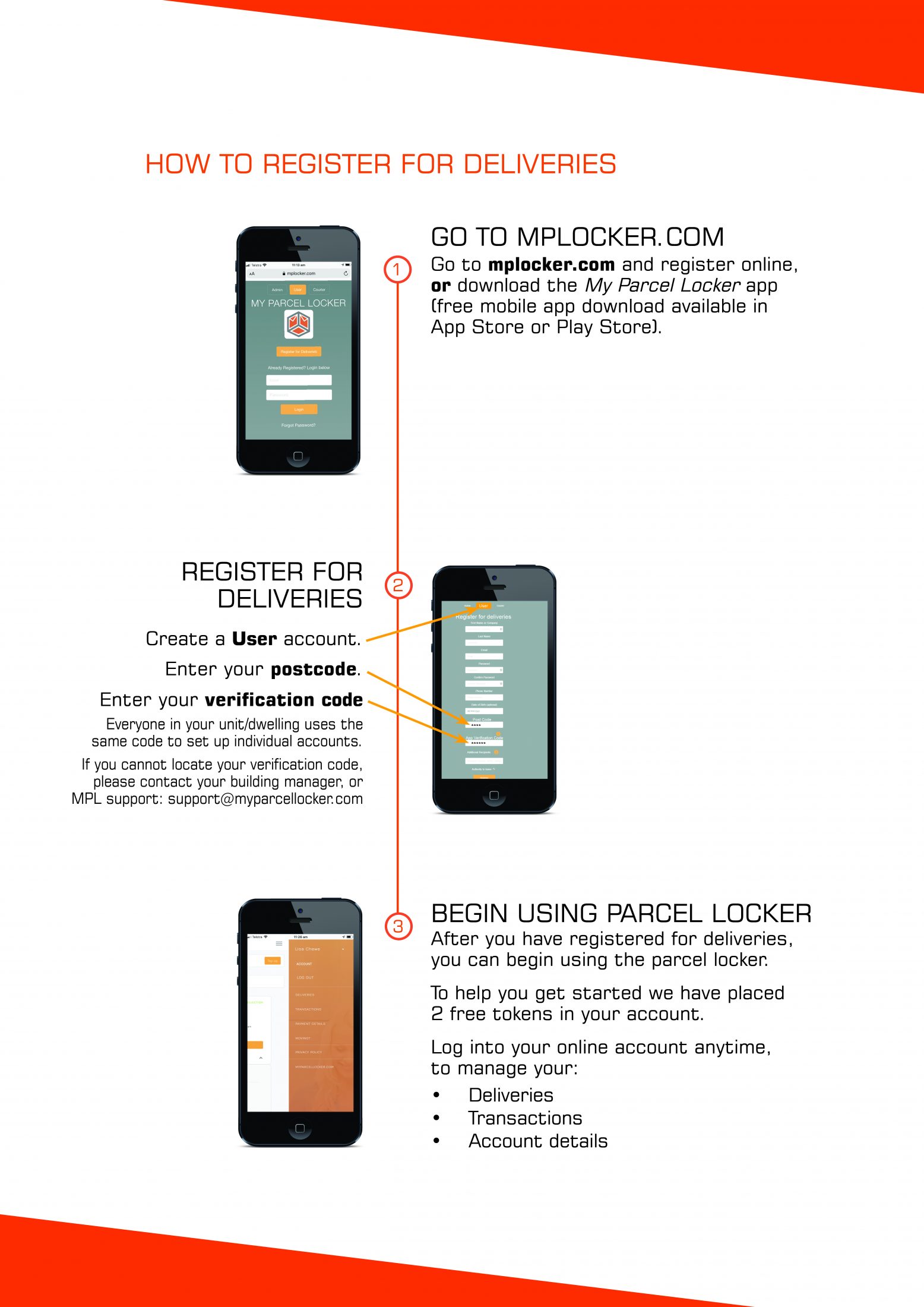
How to register for deliveries and collect your parcels.
Everything you need to know:
PLEASE NOTE:
Upon registration you will be asked to enter your verification code (you can find your code on a sticker adhered to the inside wall of your personal letterbox). Everyone in your unit/dwelling uses the same code to set up their individual accounts.
If you cannot locate your verification code, please contact your building manager or contact My Parcel Locker support: [email protected]

© 2026 My Parcel Locker. Web design by Pivotal Agency; Privacy PolicyTerms and Conditions